|
Navigation Panels
|
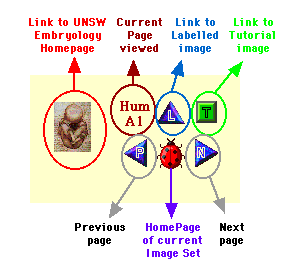
Below or above each image is a navigation panel
which has buttons that link to specific pages. There are
currently several slightly different navigation panels
depending on which image set is used.
|
|
|
|
Unlabelled
Image Control Panel
|
|
|
|
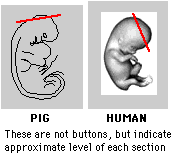
Note that in both the Human and Pig serial sections,
clicking on the image itself will also take you to the next
image in the series. (CD Users: only Human set works)
|
|
Labelled Image
Control Panel
|
Differs only in linking to the Unlabelled Image
|
|
The Labelled Images may also have aditional information
about related structures within the viewed image below the
navigation panel.
|
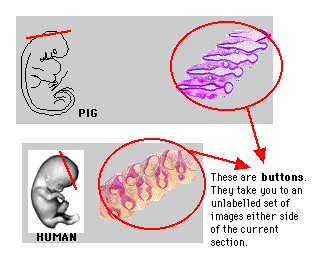
Note that in both the Human and Pig serial sections,
clicking on the image itself will also take you to the next
image in the series. (CD Users: only Human set works)
|
|
Tutorial Image
Control Panel
|
Differs only in linking to the Unlabelled and Labelled
Images
|
- The Tutorial Images have structures labelled only
with numbers.
- Not all structures are numbered.
- A Table lying below the navigation panel identifies
each structure.
|
|
|
Sagittal Image
Control Panel
|
|
|
|

|
|
Serial
Sections
|
Two sets of serial sections are shown based on the
microfiche images used in the practical classes.
The 6mm Pig Embryo is
shown as serial transverse and some sagittal sections.
The 26mm Human
Embryo is shown as serial transverse sections.
High power selected images of specific structures are also
shown.
|
|
Tutorials
|
These images are unlabelled and give the oppportunity for
students to self-test themselves using material from the
program. The key to the label is a Table that has to be
scrolled down to below the navigation panel on the page.
|
|
Human
Stages
|
This is a set of Human embryos from the Kyoto collection.
Reproduced with permission from K.S.
|
|
Human
Sagittal
|
This is a set of Human embryo images taken in the
mid-sagittal plane and includes some high power images of
each section.
|
|
Movies
|
Relationships between structures in serial sections can
be seen. 3 dimensional sturctures can be rotated and some
sequences of development have been "morphed".
|
|
Other
Embryos
|
Some illustrations of development in other species.
|
|
Journals
|
This gives both a link and a short description of
Research Journal sites available on the Web.
|
|
WWW
Links
|
This gives both a link and a short description of other
Embryology Related sites available on the Web.
|
|
New
Methods
|
There are a number of new methods available for the study
of Embryological development.
Such as: Other species, Molecular tools, imaging methods,
antibody studies.
|
|
Early
Development
|
This section describes egg/sperm development,
fertilization, blastula development and implantation.
|
|
Molecular Mechanisms
|
This section describes the cutting edge of embryology,
that of the actual mechanisms of development. Currently
under development, CD was cut prior to this sections
completion.
|
|
Abnormal Development
|
This section describes when mechanisms or genes lead to
abnormal patterns of development.
In version 1.0 this section not developed
|
|
Liz's
Neuro Class
|
This section is a series of recommended images for one of
Dr Tancred's neurobiology classes.
|
|
Anat
3311 Notes
|
This section gives the note set used in Mammalian
Embryology Practical Classes. It is a fully integrated note
set with links to Lecture Notes from the course and specific
links to images in the UNSW Embryology Program.
|
|
How
to Use the Set
|
You are currently looking at this section.
This section gives information about the UNSW Embryology
structure and some possible ways of investigating
devevelopment using the program.
|
|
Acknowledgements
|
Many people have contributed both time and content to
this current program. Original research references are given
where possible and it is suggested that these are a starting
point for further investigations.
|
|
University of New
South Wales
|
This is a Link to the University of New South Wales
Homepage. Will not work unless
you are connected to the internet.
|
|
School
of Anatomy
|
This is a Link to the School of Anatomy Homepage. There
is only a cutdown version of this page available on CD.
|
|
Cell Biology
Laboratory
|
This is a Link to the Cell Biology Lab Homepage. There is
only a cutdown version of this page available on CD.
|
|
About
the Author
|
|
|
CD
|
If you have purchased the CD version, then unless you are
currently connected to the internet these links will not
function. The addresses are given though and you can make
them into bookmarks or gain access if you connect with the
internet. Note that further technical information, other
than supplied with the CD, is not available from the
author.
The program should run on any WWW Browser
(About WWW
Browsers.). Movies will only be displayed on
computers capable of displaying Quicktime movies and with
the Quicktime plug-in.
|
|
Internet
|
If you are accessing this site by the internet WWW, then
you will be using the current version available on the
School of Anatomy Server. This version may differ slightly
from the CD as it is continuously being updated. Note also
that this is an image intensive program, so unless
you have a fast link or know exactly where you wish to go it
may be slow.
Hint: turn off "auto
download images" option on your web browser until you get to
the page of interest. A text only
Site Map Page is also
available to help with quick navigation to the page of
interest.
|
|
Anatomy
School Computer
|
If you are accessing this site by the School of Anatomy
classroom computers, then you will be using the current
version available on the School of Anatomy Server. This
version may differ slightly from the CD as it is
continuously being updated.
Important Note to Anatomy
Server Users
Using the Anatomy server version of the program you
cannot connect with any WWW Links outside the University of
New South Wales.
|
|

|
This button is in the menu bar at the top of some pages.
It is a WWW link to the School of Anatomy page equivilant to
that on the CD Version. This allows you to see the latest
version of this particular page as the Anatomy version is
continuously updated.
Note that the button will not work if you are not
connected to the WWW at the time.
|
